Novu Pods in Sakura Pink, Ice Blue and Cloud White beside an iPhone showing the Novu Alarm Good Morning screen
let’s get you set up

Your first Novu morning starts tonight.

Setup takes about a minute. Get the app, pair your Pod, and put it somewhere you can’t reach from bed.

Download Novu Alarm I already have the app →

Four steps. About a minute.

Everything from opening the box to your first Novu morning.

STEP 1

Get the Novu Alarm app.

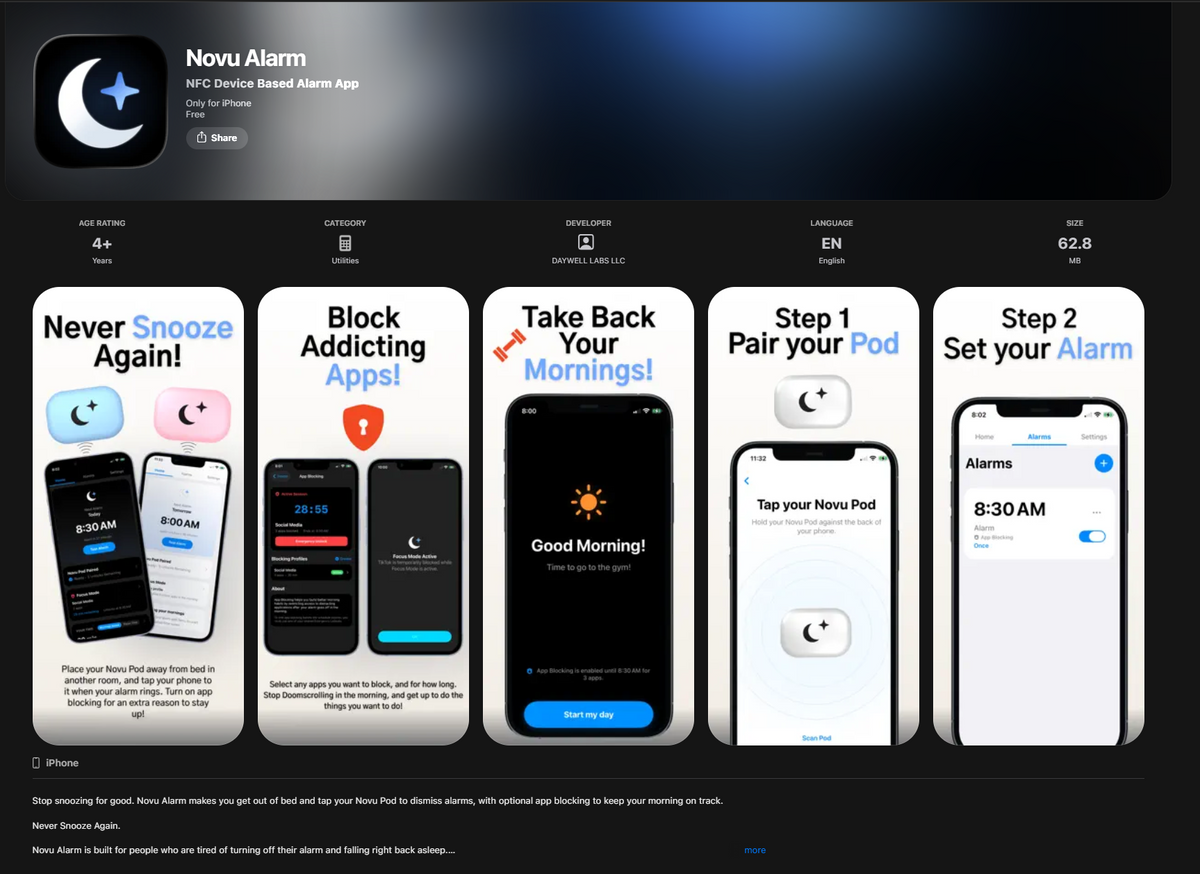
Download the free app on your iPhone and open it. A short setup asks for alarm and notification permissions. Allow them, so your alarm can ring through Silent, Focus and a locked phone.

  • Free on the App Store, for iPhone on iOS 26 or later
  • No account to create
  • Allow alarms and notifications when asked
Get it on the App Store
Novu Alarm on the App Store
STEP 2

Pair your Pod.

When the app asks, hold the top of your iPhone against the Pod until it confirms. Pair as many Pods as you like. Any paired Pod turns off any alarm.

  • Hold the top of your iPhone to the Pod
  • Works through most phone cases
  • No Bluetooth, no Wi-Fi, nothing to charge
Pairing your Pod
STEP 3

Put it somewhere you can’t reach from bed.

It’s less about distance and more about where you want your day to start. It’s magnetic, so the fridge is the easy pick. A bathroom shelf or the coffee maker works too, or use the Wall Mount on a wall or door.

  • Out of reach from bed, not on your nightstand
  • Somewhere you go every morning anyway
  • Got more than one Pod? Spread them out
See the Wall Mount →
Where to put your Novu Pod: Fridge
Fridge
Where to put your Novu Pod: Bathroom shelf
Bathroom shelf
Where to put your Novu Pod: Coffee maker
Coffee maker
Where to put your Novu Pod: Wall Mount
Wall Mount
STEP 4

Set your alarm. Then get up and tap.

Pick a time, repeat days and a sound. When it rings, there’s no snooze. Tap Tap Novu Pod to Dismiss, walk to your Pod and hold your iPhone to it. By the time it’s off, you’re already up.

  • Need a moment? Quiet Walk quiets it for 15 seconds, once per alarm
  • Real emergency? 5 emergency unlocks a month, right on the ringing screen
Tap to dismiss
OPTIONAL · FOCUS MODE

Get up. Then stay up.

Pick your distracting apps. They stay blocked for a while after your alarm rings, so a quick scroll doesn’t turn into another hour in bed.

  1. 1
    Create a profileOpen App Blocking in the app and make a reusable profile.
  2. 2
    Choose your distracting appsPick the apps or categories to block.
  3. 3
    Choose how longSet a duration and turn it on for your alarm.
before you sleep

Your first-night checklist.

1Run a test alarm

Try the whole thing once: the sound, the ringing screen and tapping your Pod.

2Leave your Pod in place

Put it where you can’t reach it from bed before you lie down, not in the morning.

3Turn on Keep Loud Mode

Optional. It holds the volume up until you tap your Pod, for nights you know you’ll be tempted.

Stuck on something?

Pairing, alarms or Focus Mode not working the way you expect? Email me and I’ll help. It comes straight to me.